Live chat for your website, answered by your whole team
Add the Huddle chat widget to any website with one line of code. Visitors chat with your team from any page, and every chat lands in one shared inbox with your email and WhatsApp.
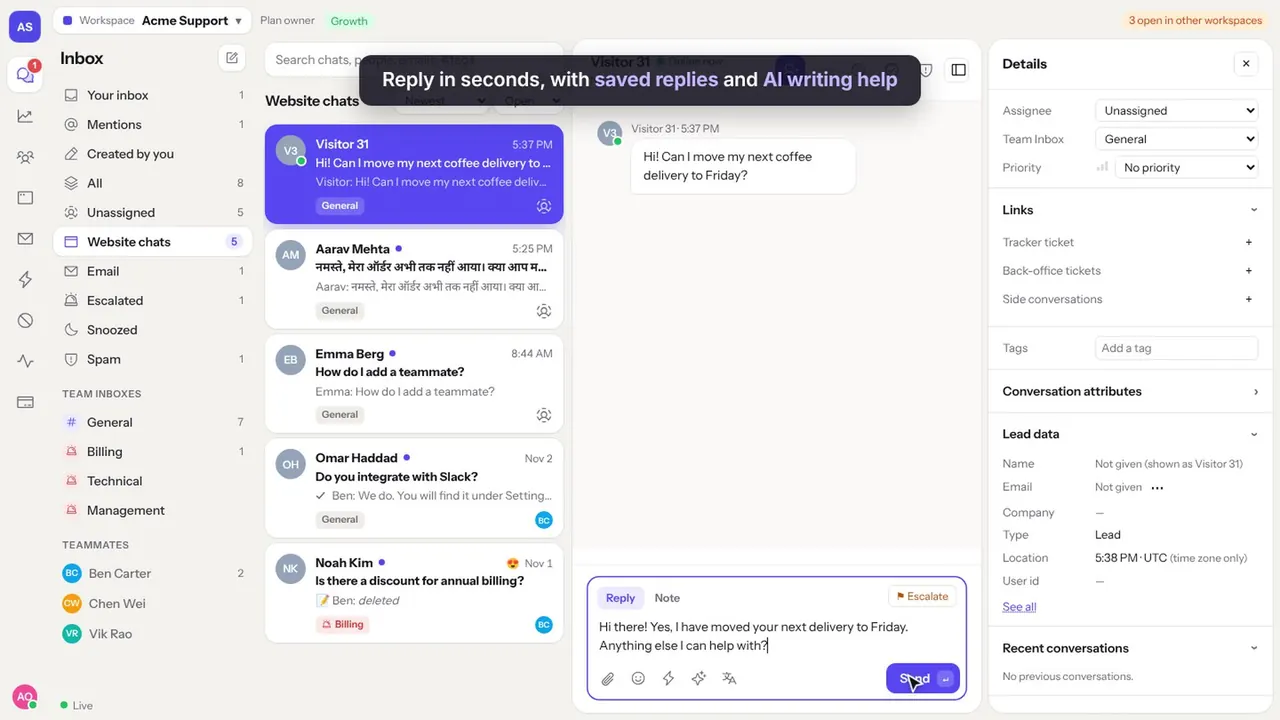
What the chat widget does
Works on any site
Shopify, WordPress, WooCommerce, Wix, Webflow, Squarespace or your own code: anywhere you can paste a script.
Office hours and away form
Show when your team is online. Outside office hours, visitors leave their email and you reply later.
Eight languages
The chat box speaks English, Hindi, Spanish, French, German, Portuguese and more, and messages can be translated.
Files and photos
Visitors send screenshots and files, and your team sends them back.
Delivery ticks and typing
Visitors see when a message is delivered and read, and when someone is replying.
Ratings
After a chat, visitors rate it from 1 to 5 so you know how your team is doing.
Add live chat to your website in 3 steps
Pick a plan
Starter includes chat on 1 website, Growth on 3 and Scale on 10.
Paste one line of code
Copy the chat code from Settings and paste it before the closing body tag of your site, or into your theme's custom code box.
Start answering
Chats arrive in your shared inbox in real time, on computer or phone.
Why a shared inbox beats a chat app on one phone
Most chat plugins send messages to one person. Huddle sends them to a team inbox, where the first person to reply takes the chat and everyone else sees who is handling it.
The same inbox holds your support email and WhatsApp, so a customer who chats today and emails tomorrow is one conversation history, not two.
Seats are included in every plan. 10 people on Growth cost $79 a month in total, not $79 each.
Questions
How do I add live chat to my website?
Copy the chat code from Huddle's Settings page and paste it into your site before the closing body tag. On Shopify use Online Store, Themes, Edit code. On WordPress use a header and footer code plugin.
Is there a free live chat plan?
Huddle has no free plan. Plans start at $29 a month with 3 seats included, or $19 a month for WhatsApp only.
Can the chat match my brand?
Yes. Set the chat's name, colours and greeting in Settings.
Will the chat slow my website down?
No. The chat code is small and loads after your page, so your page appears first.
Does it work on mobile?
Yes. The chat box works on phones, and your team can answer from a phone browser too.
Try Huddle with your team
Starter is $29 a month with 3 seats, Growth $79 with 10 seats, Scale $199 with 25 seats, and WhatsApp only $19 with 3 seats. Seats are included in the price, not charged one by one.