A shared inbox for agencies, with a separate workspace for every client
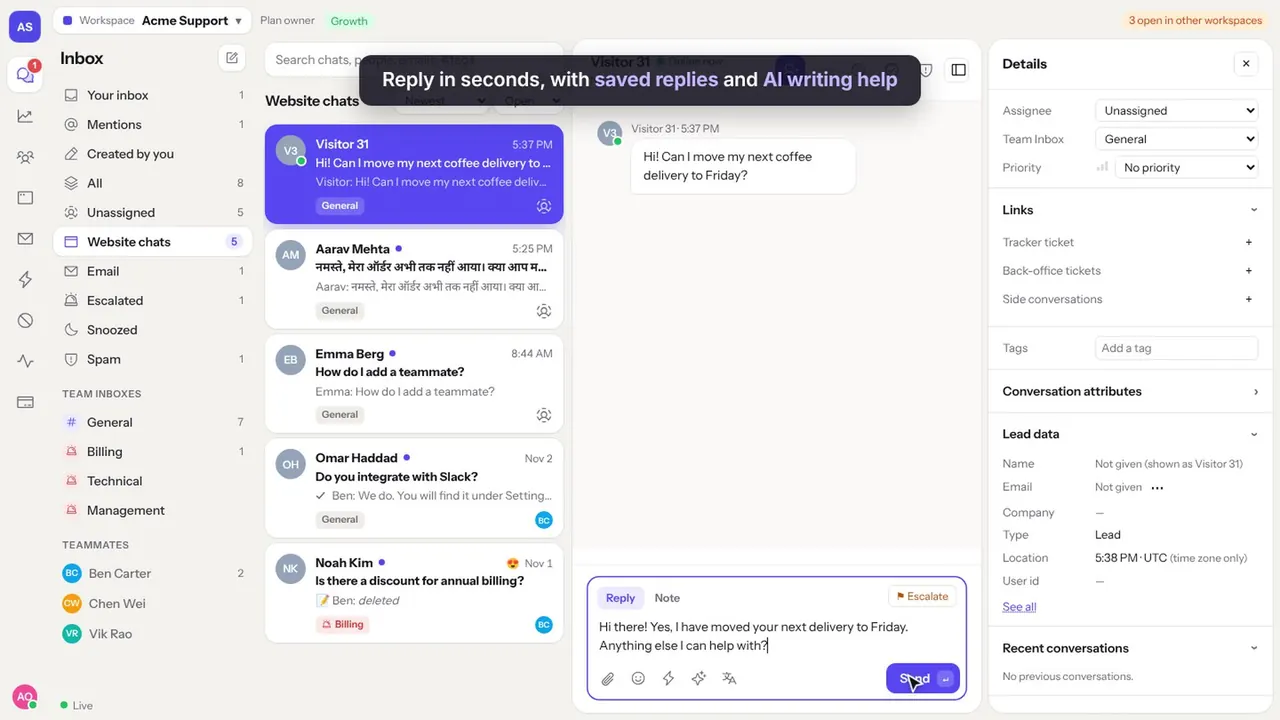
You answer chats for several clients, or set up chat for them. Huddle gives each client its own workspace, with its own chat box, team and plan, and you switch between them from one account.
The problem
Running support for several brands in one tool mixes up conversations, reports and invoices. Running a separate tool for each client means many logins and passwords.
Clients want to see how their customers are treated, without seeing your other clients.
How a shared inbox works for agencies
From the first message to the rating, in four steps.
Create a workspace per client
Each client gets its own workspace, chat code, inboxes and team. You switch between them from the top of the screen.
Invite the right people
Add your agents to the workspaces they work on, and invite the client as a viewer or manager.
Answer in the client's voice
Saved replies, tags and office hours are set per workspace, so each brand keeps its own tone.
Report per client
Ratings, reply times and conversation reports are per workspace, ready to send in your monthly report.
Example conversations
The kind of questions agencies answer in Huddle every day.
What agencies use most
Workspaces
Separate workspaces for each client, from one account, each with its own plan and billing.
Roles per workspace
Admin, manager, agent and viewer roles, set separately in each workspace.
Chat for every site
Each workspace has its own chat code for the client's websites.
Reports per client
Satisfaction, reply times and team activity per workspace, exportable to CSV.
Email and WhatsApp
Connect each client's support address and WhatsApp number to their own workspace.
Clean handover
When a contract ends, the client keeps their workspace and history.
What it costs
Each client workspace has its own plan. A small client on Starter is $29 a month with 3 seats, and a WhatsApp-only client is $19 a month.
See all plans on the pricing section. Prices are in US dollars.
Questions
Can one person work in many workspaces?
Yes. One account can belong to many workspaces and switch between them without signing out.
Who pays for each workspace?
Each workspace has its own plan and billing, so you or the client can pay for it.
Can clients see other clients?
No. People only see the workspaces they are invited to.
Can we white-label the chat box?
You can set the chat's name, colours and greeting per workspace. A full white label is not available yet.
Try Huddle with your team
Starter is $29 a month with 3 seats, Growth $79 with 10 seats, Scale $199 with 25 seats, and WhatsApp only $19 with 3 seats. Seats are included in the price, not charged one by one.